
NEW DELHI, INDIA | AUGUST 24, 2026
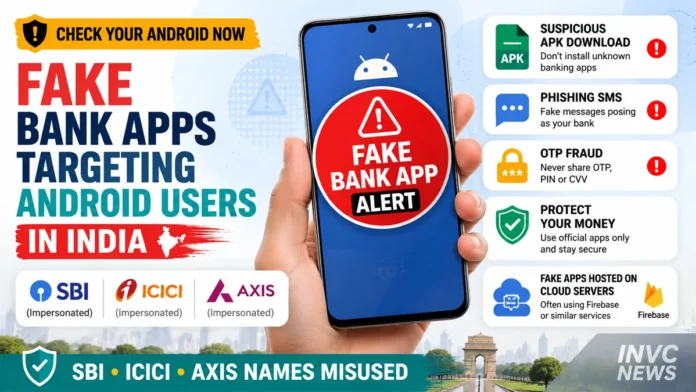
The fake banking app scam 2026 is emerging as a serious threat to Android users in India as cybercriminals increasingly use convincing bank logos, reward-point offers, credit-card upgrades and malicious APK files to trick customers into handing over sensitive financial information.
The latest warning follows a major Indian cybercrime crackdown involving Google Firebase infrastructure. Authorities identified dozens of Firebase-hosted websites and databases allegedly being used for phishing, malware distribution and financial fraud.
INVC has already reported in detail how India ordered action against Google Firebase-linked fake banking pages impersonating SBI, ICICI Bank and Axis Bank.
Now the bigger question for smartphone users is practical:
How do you know whether a fake banking app is already on your Android phone?
And if you have clicked a suspicious link, entered card details or shared an OTP, what should you do immediately?
Why Fake Banking Apps Are Becoming Harder to Spot
Older phishing scams often contained obvious spelling mistakes, suspicious websites or poorly designed pages.
Modern scams can look much more convincing.
Fraudsters may copy:
- Bank logos
- App colors
- Login screens
- Credit-card interfaces
- Reward-point pages
- Customer-care branding
- Government scheme designs
A fake app can therefore look almost identical to a genuine banking application.
The difference may only become obvious after the victim grants powerful permissions.
Warning Sign 1: You Installed the App From WhatsApp, SMS or Telegram
This is one of the biggest red flags.
A message may say:
“Your reward points expire today.”
Or:
“Increase your credit-card limit now.”
Another common message may warn:
“Your bank account will be blocked unless KYC is updated immediately.”
The message then provides an APK download link.
An APK is an Android application installation file.
APK files are not automatically malicious. However, criminals frequently use APK downloads sent through messages because they allow victims to install apps outside the normal app-store process.
If a banking app arrived through an unsolicited WhatsApp, Telegram, SMS or email link, treat it as suspicious.
Warning Sign 2: The App Requests SMS Access
Banking malware often wants access to text messages.
Why?
Because OTPs, transaction alerts and account-related notifications may arrive by SMS.
If a suspicious app can read incoming messages, criminals may potentially capture OTPs or other financial information.
A genuine financial app may legitimately require certain permissions in some circumstances.
However, users should question why an app downloaded from an unknown link needs unrestricted access to:
- SMS
- Contacts
- Call logs
- Files
- Notifications
- Accessibility services
Never approve permissions simply because a screen tells you to.
Warning Sign 3: The App Requests Accessibility Permission
Accessibility access deserves particular attention.
Android accessibility services are designed to help people interact with their devices.
But malicious apps can attempt to abuse these powerful permissions.
Depending on the attack, an app with excessive accessibility privileges may be able to:
- Read screen content
- Detect what apps you open
- Interact with buttons
- Observe notifications
- Perform actions on the device
If an unknown “bank,” “reward,” “credit card” or “KYC” app asks you to enable Accessibility Services, stop immediately.
Warning Sign 4: You Cannot Find the Same App on the Bank’s Official Website
Before installing any banking application, check the bank’s official website.
Do not search only through random links.
A fake application may use names such as:
- SBI Reward
- SBI Card Update
- ICICI Rewards
- ICICI Credit Upgrade
- Axis KYC
- Axis Reward Points
- Bank Verification
- Credit Limit Upgrade
The name may look convincing while having no connection with the bank.
Go directly to the bank’s official website and use its official app-store link.
Warning Sign 5: The Offer Creates Extreme Urgency
Cybercriminals frequently try to prevent victims from thinking.
Messages may claim:
- Reward points expire in two hours
- Your account will be suspended tonight
- KYC expires immediately
- Your card will be blocked
- A refund is waiting
- Your credit limit has been approved
- Government benefits must be claimed today
Urgency is a classic social-engineering technique.
A legitimate bank may send important alerts, but customers should independently verify the message through the bank’s official app, website or customer-service number.
Never use the contact details included in a suspicious message.
Warning Sign 6: The App Asks for Card PIN, Password or OTP
An application or webpage that asks for sensitive credentials outside the normal banking process should immediately raise concern.
Never disclose:
- ATM PIN
- UPI PIN
- Internet banking password
- CVV
- Full card credentials
- OTP
- Password-reset codes
An OTP is effectively a temporary key.
Once a fraudster has your account credentials and OTP, unauthorized transactions may become possible.
Warning Sign 7: Your Phone Suddenly Behaves Differently
Malware may produce unusual behavior.
Watch for:
- Battery draining unusually fast
- Phone overheating
- New apps appearing
- Unknown accessibility services enabled
- Unexplained pop-ups
- Banking apps behaving strangely
- SMS notifications disappearing
- New device-admin permissions
- Unexpected data usage
- Unknown apps running in the background
None of these signs alone proves that your phone contains banking malware.
However, several appearing together after installing an unknown APK should be taken seriously.
How to Check Your Android Phone for Suspicious Apps
Android users can perform a basic security review in a few minutes.
Step 1: Open Google Play Protect
Open the Google Play Store.
Tap your profile picture.
Select Play Protect.
Run a scan.
Google Play Protect is designed to scan applications for potentially harmful behavior, including apps installed outside Google Play.
Step 2: Review Recently Installed Apps
Go to:
Settings → Apps
Sort the apps by recently installed if your phone provides that option.
Look for applications you do not recognize.
Be particularly cautious about apps installed immediately after clicking a banking, reward or KYC message.
Step 3: Check Accessibility Services
Open:
Settings → Accessibility
Review which applications have accessibility access.
Disable access for suspicious or unfamiliar applications.
Step 4: Review Device Administrator Apps
Depending on the Android manufacturer, look under:
Settings → Security → Device Admin Apps
A malicious application with device-administrator privileges may be harder to uninstall.
Disable suspicious administrator access before removing the app.
Step 5: Review SMS and Notification Permissions
Check which apps can read:
- SMS
- Notifications
- Contacts
- Phone
- Storage
Remove permissions that are unnecessary.
Should You Uninstall a Suspicious Banking App?
Yes, if you have confirmed that the application is not genuine.
However, if you suspect serious malware compromise, simply uninstalling the application may not always be enough.
Before taking further action, use a different trusted device to:
- Change your banking password
- Change your email password
- Change important account passwords
- Review recent transactions
- Contact your bank
If suspicious transactions have already occurred, prioritize reporting the financial fraud immediately.
Money Stolen? Call 1930 Immediately
If money has been transferred fraudulently, speed matters.
India’s National Cyber Crime Reporting system provides the 1930 financial cybercrime helpline.
Victims should report the incident as quickly as possible.
Also file a complaint through the official National Cyber Crime Reporting Portal: cybercrime.gov.in.
Authorities use the financial cyber-fraud reporting system to coordinate with banks, payment intermediaries and law-enforcement agencies.
Quick reporting may improve the chance of stopping or freezing fraudulently transferred funds before criminals move them through multiple accounts.
Keep These Details Ready When Reporting Fraud
Before calling your bank or the cybercrime helpline, collect:
- Your mobile number
- Bank name
- Account or wallet details
- Transaction ID
- Transaction date and time
- Amount lost
- UPI ID, if applicable
- Card details relevant to the transaction
- Screenshot of the fraudulent payment
- Screenshot of the suspicious message
- Suspicious website address
- Phone number used by the scammer
- APK file name if available
Do not delete evidence before making copies.
Screenshots and transaction information can help investigators trace the fraud.
Contact Your Bank Immediately
Do not wait for the next business day.
Use the official phone number listed on:
- Your bank’s website
- The back of your debit or credit card
- The official banking app
Ask the bank to secure the affected account or card.
Depending on what information was compromised, the bank may advise you to:
- Block a debit or credit card
- Reset internet banking
- Change your UPI PIN
- Freeze specific services
- Review recent transactions
Never call a “customer-care” number found in a suspicious message.
Can Stolen Cyber-Fraud Money Be Recovered?
Recovery is not guaranteed.
However, rapid reporting can make a significant difference.
India has expanded systems connecting law enforcement, banks, payment companies and financial intermediaries to stop suspicious fund transfers.
INVC has previously reported on the broader rise of cyber fraud in India and the growing financial losses caused by online scams.
The government has also been expanding mechanisms designed to freeze and restore fraud-related funds.
The key factor for victims remains the same: report quickly rather than waiting to see whether the money comes back automatically.
Why SBI, ICICI and Axis Bank Customers Are Being Targeted
The latest scam infrastructure used the names of some of India’s biggest banks.
That does not mean their official banking systems were breached.
Criminals use major bank names because customers immediately recognize them.
A fake page carrying an SBI, ICICI Bank or Axis Bank logo can create trust before the victim checks the website address or app developer.
The fraud therefore relies heavily on impersonation.
Users should verify banking requests independently rather than trusting logos.
How Google Firebase Entered the Scam
Firebase is a legitimate Google-owned development platform.
Developers use it to create and host apps, websites, authentication systems and databases.
Cybercriminals allegedly exploited some of those capabilities to support fraudulent infrastructure.
Indian investigators identified Firebase-hosted websites and databases linked to phishing and malware campaigns.
In August alone, at least 57 Firebase-hosted websites and databases were covered by takedown notices, according to current reporting.
Some impersonated major banks.
Others reportedly used government-scheme themes, including PM-KISAN.
The misuse does not mean Firebase itself is a scam service.
It shows how criminals can abuse legitimate cloud technology.
Google Says Malware and Phishing Are Prohibited
Google says its services prohibit malware, phishing and attempts to steal authentication information.
The company also says Google Play Protect scans Android applications for potentially harmful behavior.
Importantly, Play Protect can scan apps installed from outside Google Play as well.
Users should therefore keep Play Protect enabled rather than switching it off to install an unknown APK.
If an app asks you to disable security protections before installation, treat that request as a major warning sign.
Never Trust a Website Just Because It Has HTTPS
Many users believe the padlock symbol automatically proves that a website is safe.
It does not.
HTTPS means the connection between your browser and the website is encrypted.
A phishing website can also use HTTPS.
Always inspect the actual domain name.
A fake bank page may use a web address that contains the bank’s name but is not controlled by the bank.
What About QR Codes?
QR codes are another potential route to phishing pages.
Do not scan an unexpected QR code claiming to:
- Redeem bank points
- Increase card limits
- Receive refunds
- Complete KYC
- Activate government benefits
A QR code can hide the destination URL until it is opened.
Verify the source first.
Fake Banking App Scam 2026: Quick Safety Checklist
Before downloading or opening any bank-related app:
- Use only the official app store
- Verify the app developer
- Check the bank’s official website
- Never install APKs from unsolicited messages
- Keep Google Play Protect enabled
- Never share OTP, PIN or password
- Avoid unnecessary Accessibility permissions
- Do not trust urgent reward messages
- Check your bank account regularly
- Report suspicious URLs to cybercrime authorities
FAQ
Can a fake banking app steal OTPs?
A malicious app with access to SMS, notifications or powerful device permissions may potentially capture sensitive information, including OTP-related data.
Is every APK file dangerous?
No. APK is simply Android’s application-package format. The risk comes from installing files from untrusted sources.
Can Google Play Protect detect apps installed from outside Play Store?
Yes. Google says Play Protect scans apps on Android devices, including apps obtained from outside Google Play.
Should I share an OTP with bank customer care?
Never disclose OTPs to an unsolicited caller or message sender. Verify any request directly through your bank’s official channels.
Where do I report online banking fraud in India?
Call the national cybercrime helpline 1930 and file a complaint at cybercrime.gov.in.
What if I only clicked the link but installed nothing?
Close the website and do not enter information. If you submitted passwords or card details, immediately change relevant credentials and contact your bank.
What if I installed the APK but did not enter bank details?
Remove the suspicious app, review permissions, run Play Protect and change important passwords from a trusted device if you believe the phone may have been compromised.
Fake Banking App Scam 2026: The Bottom Line
The fake banking app scam 2026 demonstrates how financial fraud is becoming more sophisticated.
Cybercriminals no longer need obviously fake websites.
They can copy trusted branding, use legitimate cloud infrastructure and distribute professional-looking Android applications through WhatsApp, SMS or Telegram.
For users, the safest rule is simple:
Never install a banking or government-benefit app from an unsolicited APK link.
Use official banking apps.
Keep Android security protections enabled.
Never share OTPs or PINs.
And if money disappears from your account, contact your bank and call 1930 immediately.
A few minutes of caution before installing an app can prevent weeks or months of financial and legal trouble.
Internal Linking Already Embedded
The article naturally links to:
Google Firebase Scam pillar story — establishing the breaking-news background and avoiding repetition.
INVC Cyber Fraud India explainer — strengthening the broader cybercrime topical cluster.
Together, the structure becomes:
Google Firebase Scam → Fake Banking Apps → Android Security → OTP Fraud → Cybercrime Reporting
This creates a much stronger long-term search cluster than publishing two articles targeting the same breaking-news keyword.